What it is
STROM is a touch-driven sample chopper. The audio buffer is laid out horizontally as a row of slices; each slice loops as long as you hold its area on the waveform. Multiple fingers alternate round-robin through their slices. You can record live audio into the ring instead of working off a loaded sample, freeze it, edit slice boundaries, and overdub.
This page is the beta reference — the bar-button row at the top, the little toolbar at the bottom-left, and the FN-modifier combos that cover everything else.
Default screen
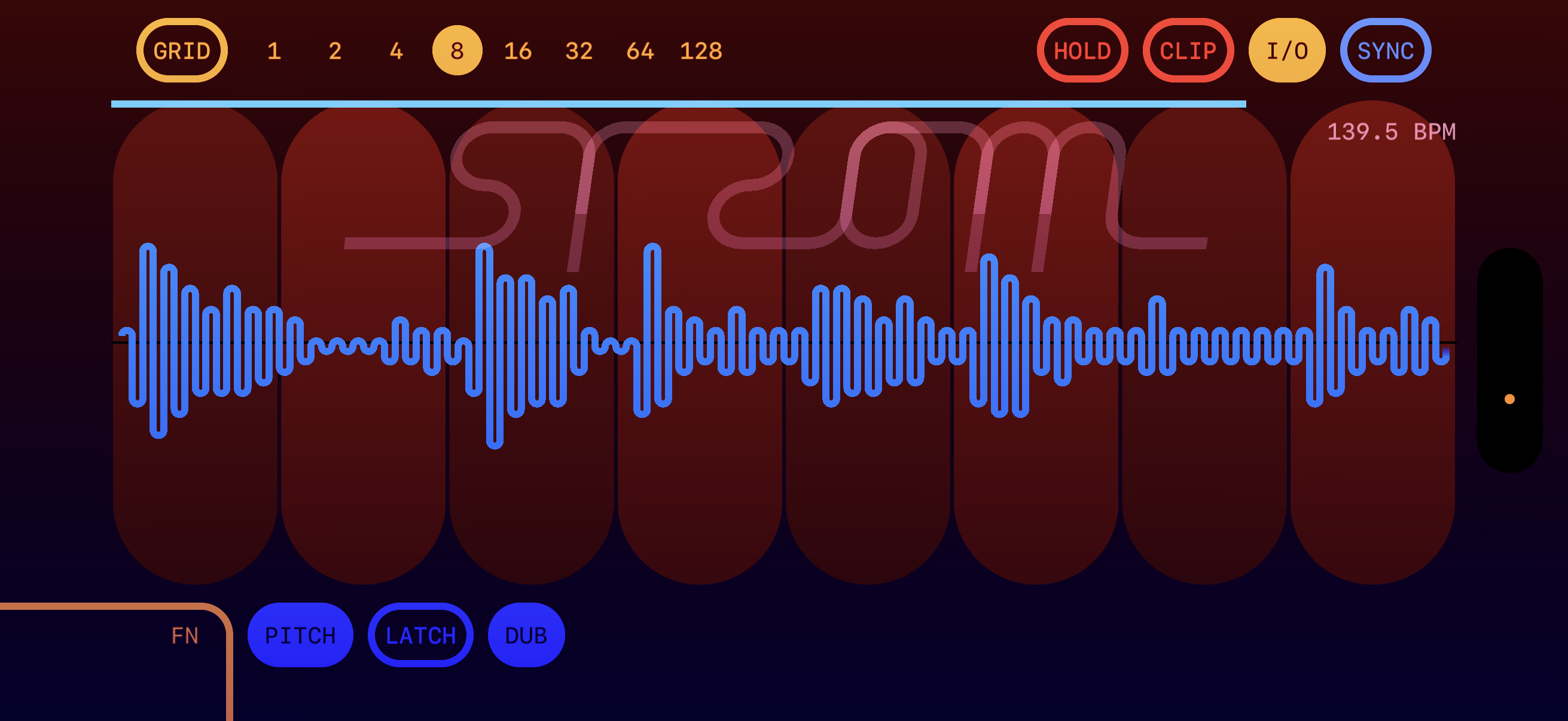
GRID mode, 8 equal slices over the default sample. Top row is the bar; bottom-left is the FN row. Tempo readout (here 139.5 BPM) sits top-right and follows whatever clock is streaming in (host MIDI or standalone clock receiver). The vertical orange/red strip on the right is the bar-progress indicator.
Top bar
- GRID / EDIT
- Tap to toggle FLEX (auto-slice from onsets) ↔ GRID (equal slices). Holding FN turns this into the EDIT button — see below.
- 1 · 2 · 4 · 8 · 16 · 32 · 64 · 128
- Slice count selector. Filled circle = current. Single-tap to set. In FLEX mode the count row is replaced by a sensitivity slider.
- HOLD / REC
- Reads HOLD in live mode (freezes the ring so you can chop the audio you just captured) and REC when working off a static sample (records mic input into the recordable buffer for later loading).
- CLIP
- Touch-performance recorder. Tap once to arm, again to record; cycles into playback. Captures touches + slice-count changes and re-issues them as ghost voices.
- I/O
- Toggles between static (loaded sample) and live (input → ring buffer) mode. In live mode the wave you see is the most-recent ring of audio coming in.
- SYNC
- Locks the ring length to the incoming clock — one bar of audio per ring. With sync on, the waveform stays bar-aligned at any tempo.
Bottom row
- FN
- Hold while tapping any other button to access its modifier action. Sticky on tap-and-release of an FN-combo target — same model as Elektron's FN. On the "Designed for iPad" Mac build, Shift mirrors FN.
- PITCH
- Toggles pitch-bend mode: vertical slide on a held slice bends its playback rate. FN+PITCH opens the quantize menu.
- LATCH
- Sticky touches — the slice keeps playing after you lift. Tap the on-screen crosshair to release it. Long-press LATCH to enter remove-mode (any tap on a latched crosshair clears it).
- DUB
- Overdub mode. When a multi-finger round-robin advances to a slice that's not currently playing, that slice's snap is refreshed from the live ring. Single-finger holds keep looping their captured chop.
FN held
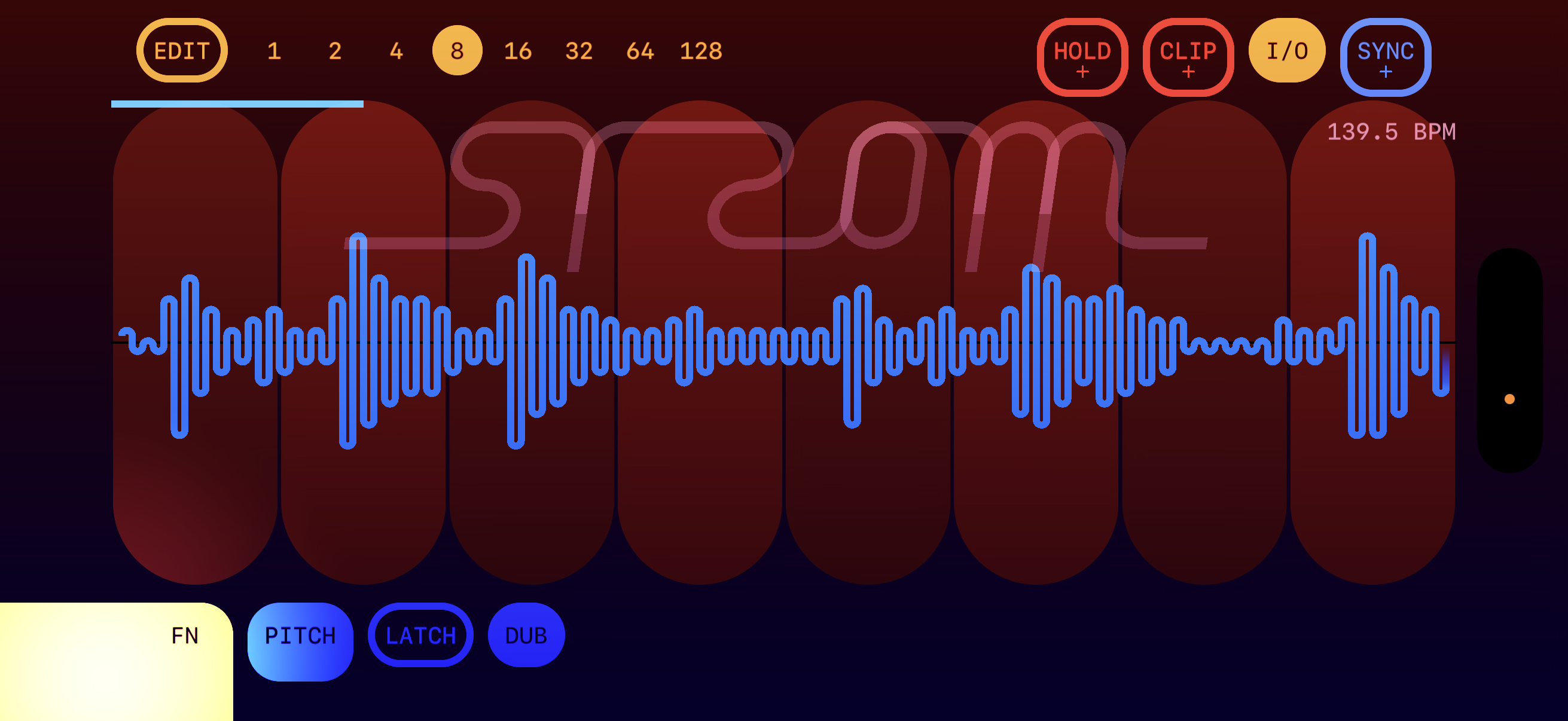
- FN + GRID
- Enter slice-edit mode (the GRID label flips to EDIT).
- FN + HOLD/REC
- Open the I/O mixer popup (EXT vs RSMP feedback gain).
- FN + CLIP
- Open the clip-length menu (CLEAR · 1 · 2 · 3 · 4 bars).
- FN + SYNC
- Open the sync-multiplier menu (½ · ⅔ · ¾ · 1 · 4/3 · 3/2 · 2).
- FN + PITCH
- Open the quantize menu (None · Chromatic · Minor · Major).
FN-combo menus support two interaction styles: drag-to-pick (touch FN+button, slide to a row, release to commit) and sticky-tap (touch FN+button without sliding to leave the menu open; tap a row to commit, tap the bump to dismiss).
Slice edit mode
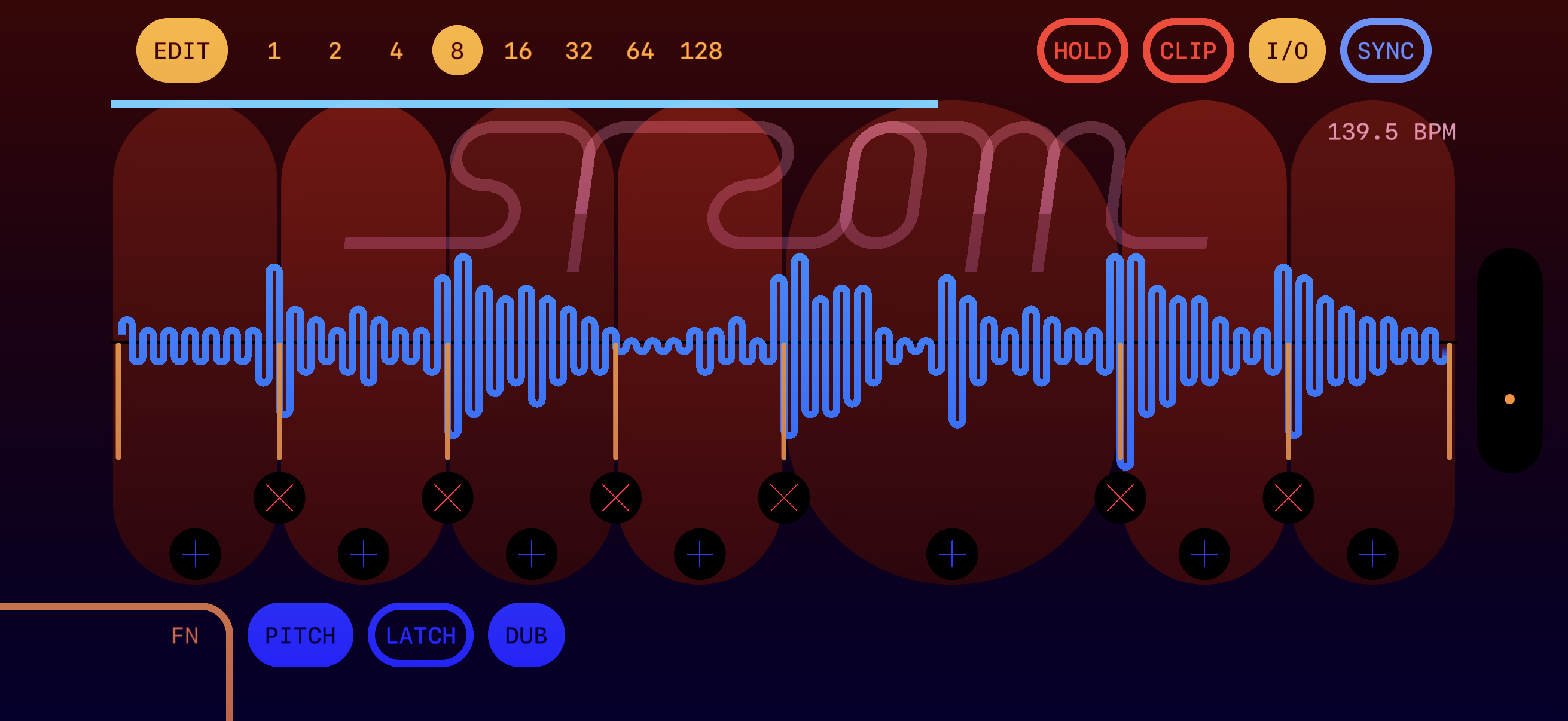
Enter via FN + GRID. Each slice gets two handles: × deletes the boundary on the left (merges this slice into its left neighbour); + bisects the slice in two. Drag a boundary line to slide it between neighbours; the engine re-snapshots the touched slice's audio so playback follows the edit live.
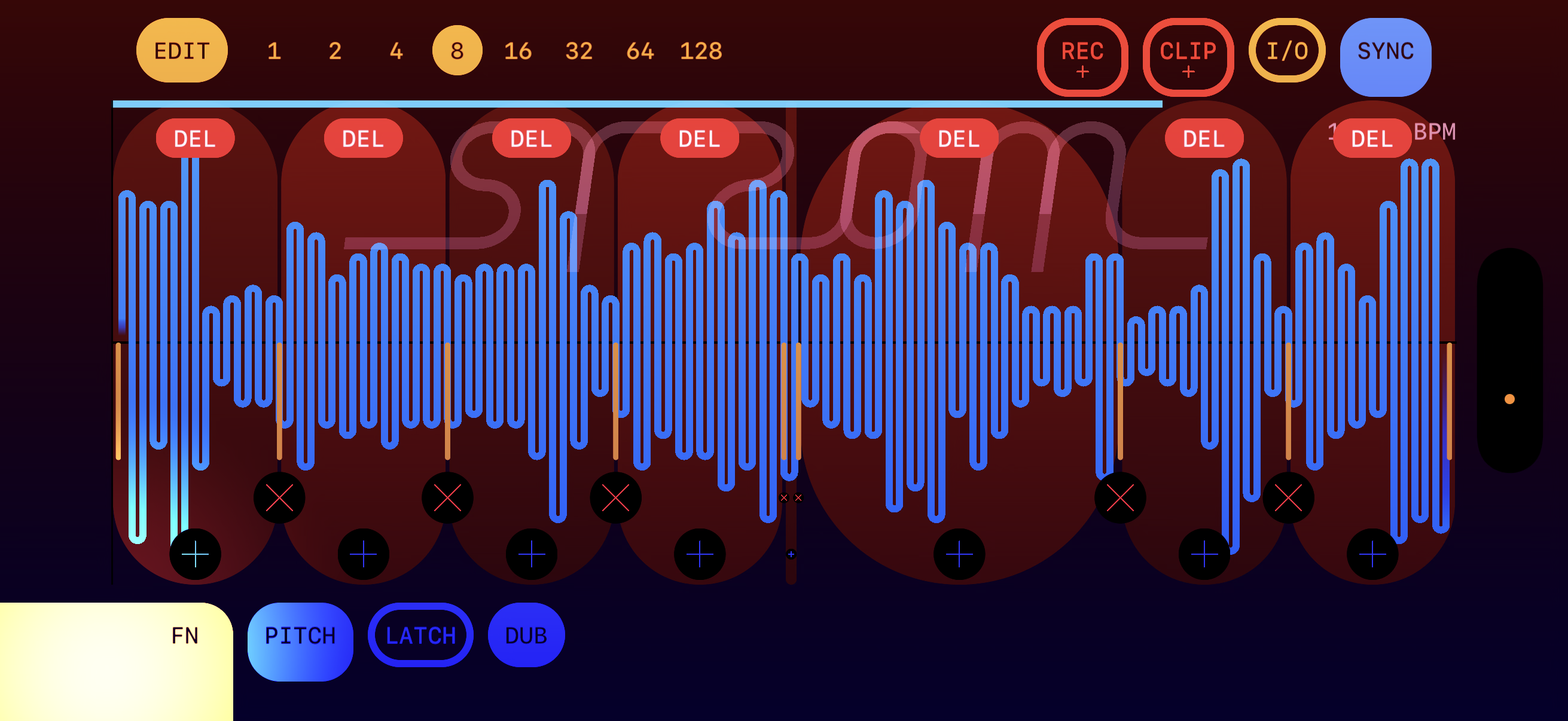
Hold FN inside edit mode and each slice gets a red DEL bubble. Tapping it cuts the slice's audio out of the buffer entirely — the remaining audio shifts left so playback stays seamless. Single-tap only; sweeping would be unpredictable since the boundaries shift on every cut.
Live mode (I/O on)
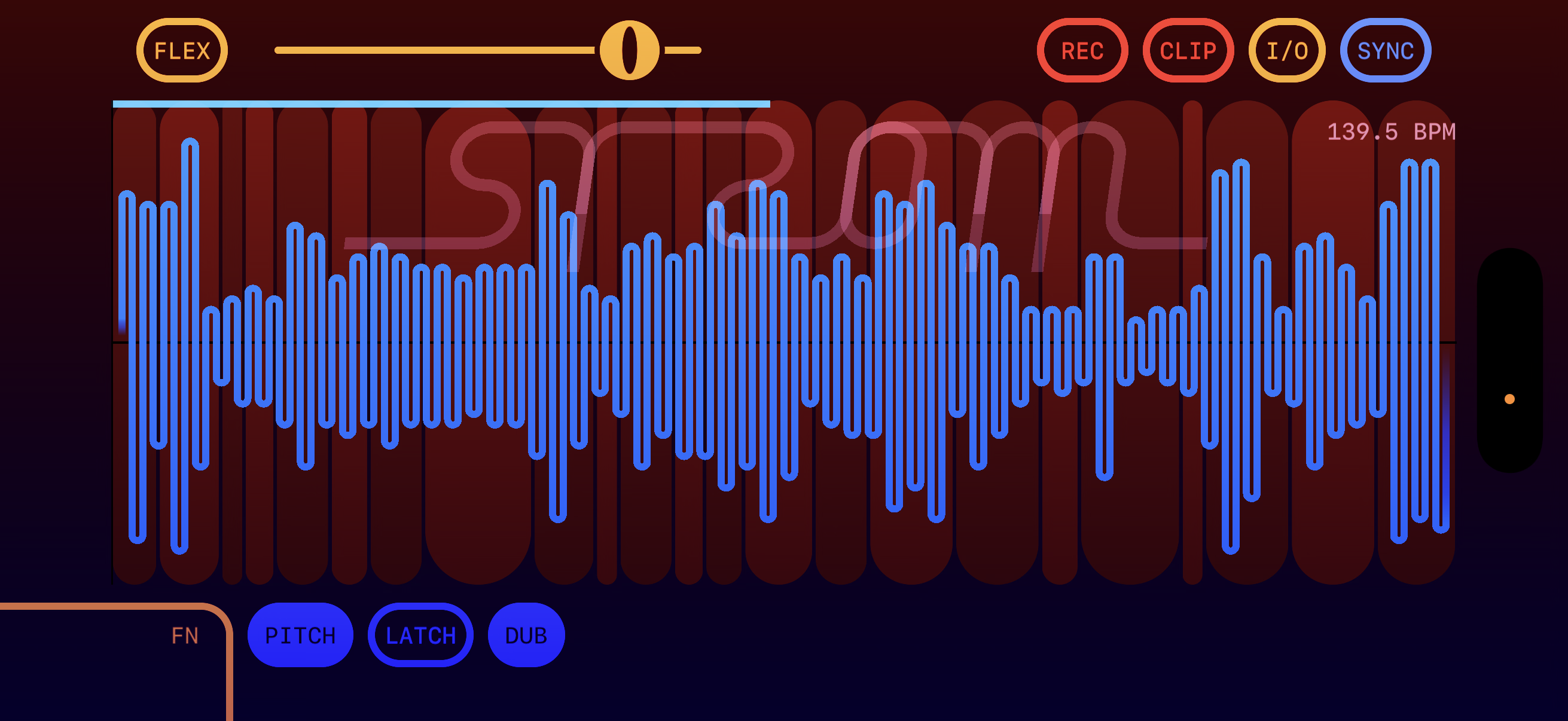
Tap I/O to enter live mode. The ring buffer becomes the canonical audio source: input streams in, the waveform shows the most-recent ring of audio. HOLD freezes the ring so you can chop the audio you just captured. With SYNC on, the ring length is one bar of host clock, so freezing on the downbeat captures exactly one bar.
FLEX in live mode is HOLD-only: the energy-based onset detector runs against the frozen ring; dragging the sensitivity slider re-detects from the cached curve.
I/O mixer (FN + REC)
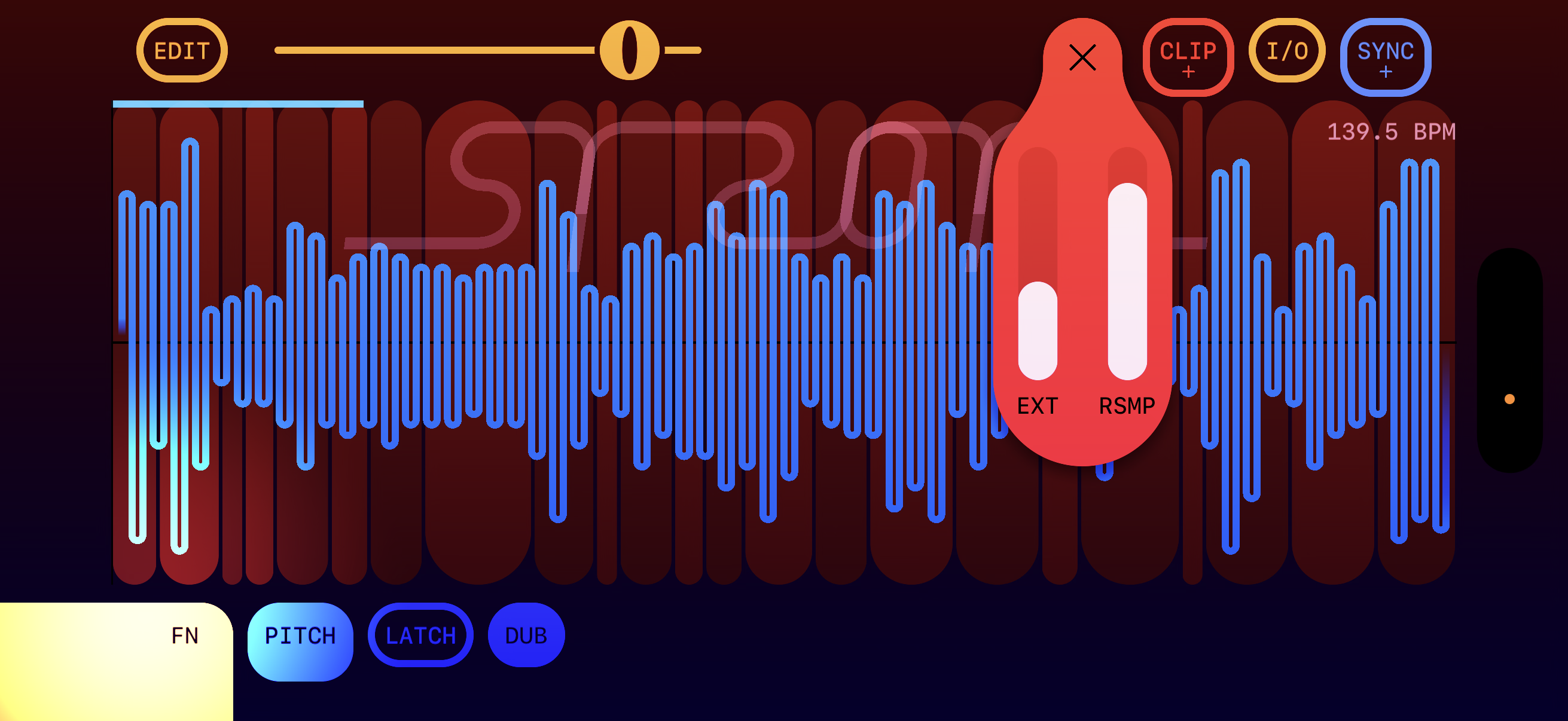
Two vertical sliders. EXT sets external input gain (mic, line-in, sidechain when AU-hosted). RSMP feeds the engine's own output back into the ring at a controlled level, soft-clipped via tanh so feedback can't blow up. Defaults: EXT = 1.0, RSMP = 0 (clean passthrough). Push RSMP up for self-feeding texture.
Clip length (FN + CLIP)
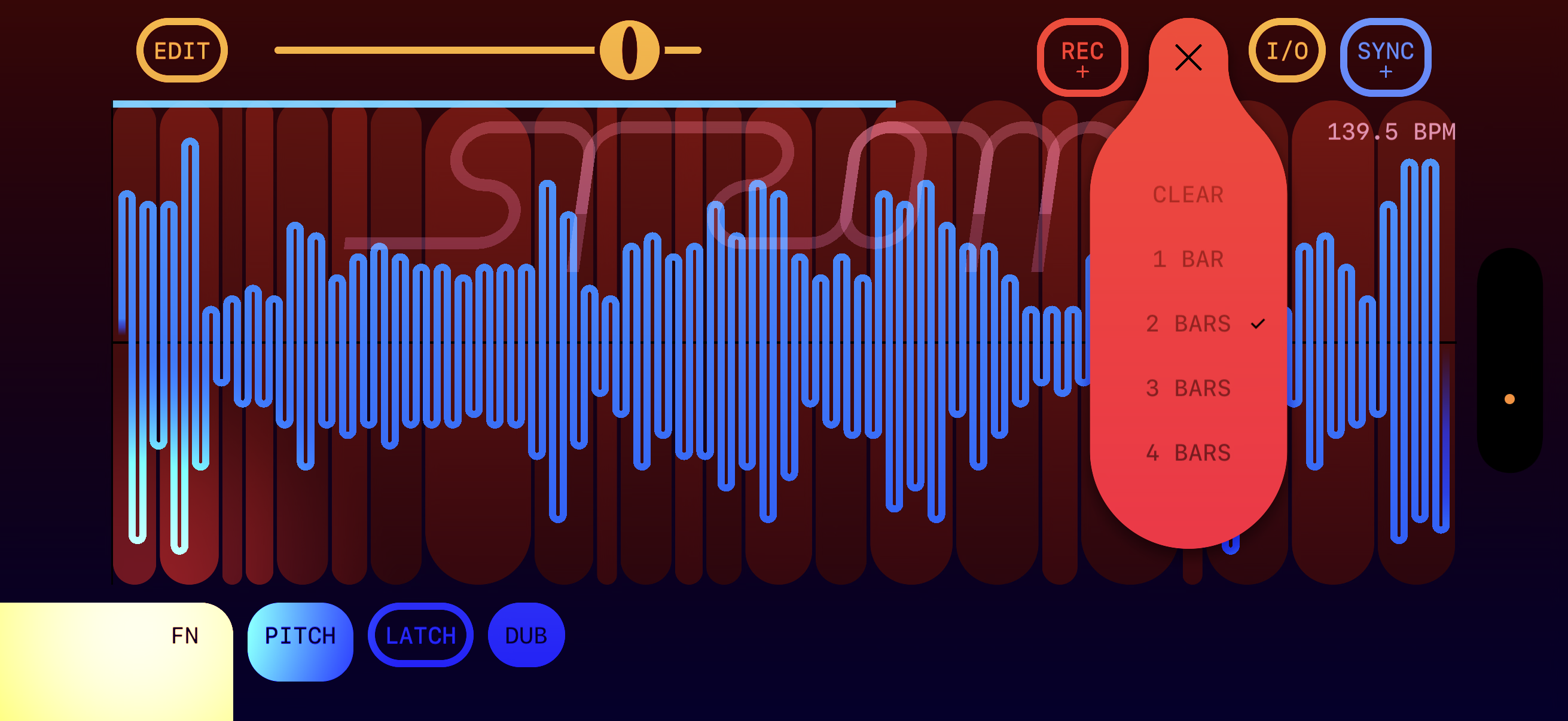
How long a clip-recorder loop is, in bars of the current tempo. CLEAR wipes the clip back to empty/idle.
Sync multiplier (FN + SYNC)
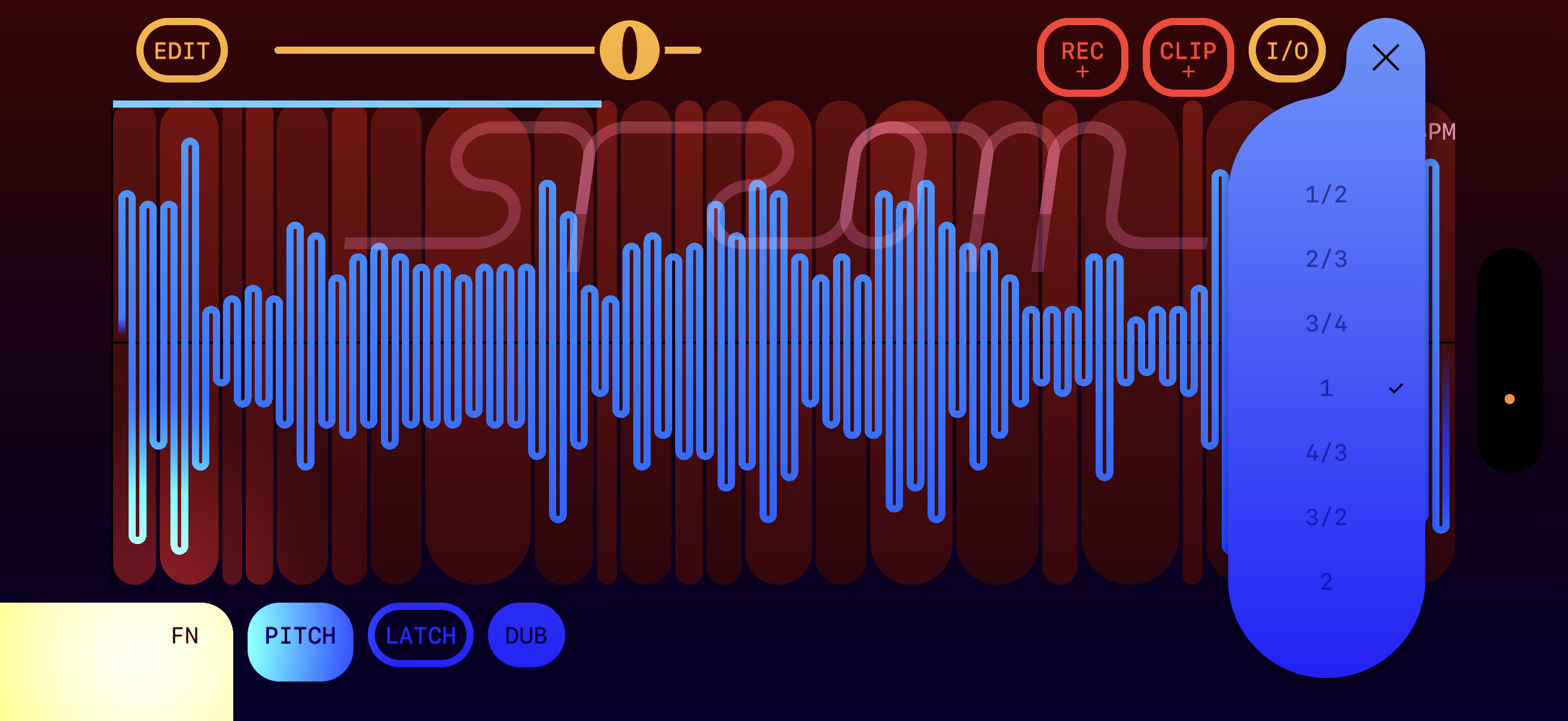
Multiplies the bar length the ring is locked to. ½ gives you a half-bar ring (twice as fast); 2 gives you two bars (slower). Useful for triplet/polymetric feels and odd time signatures against a 4/4 host.
Quantize (FN + PITCH)
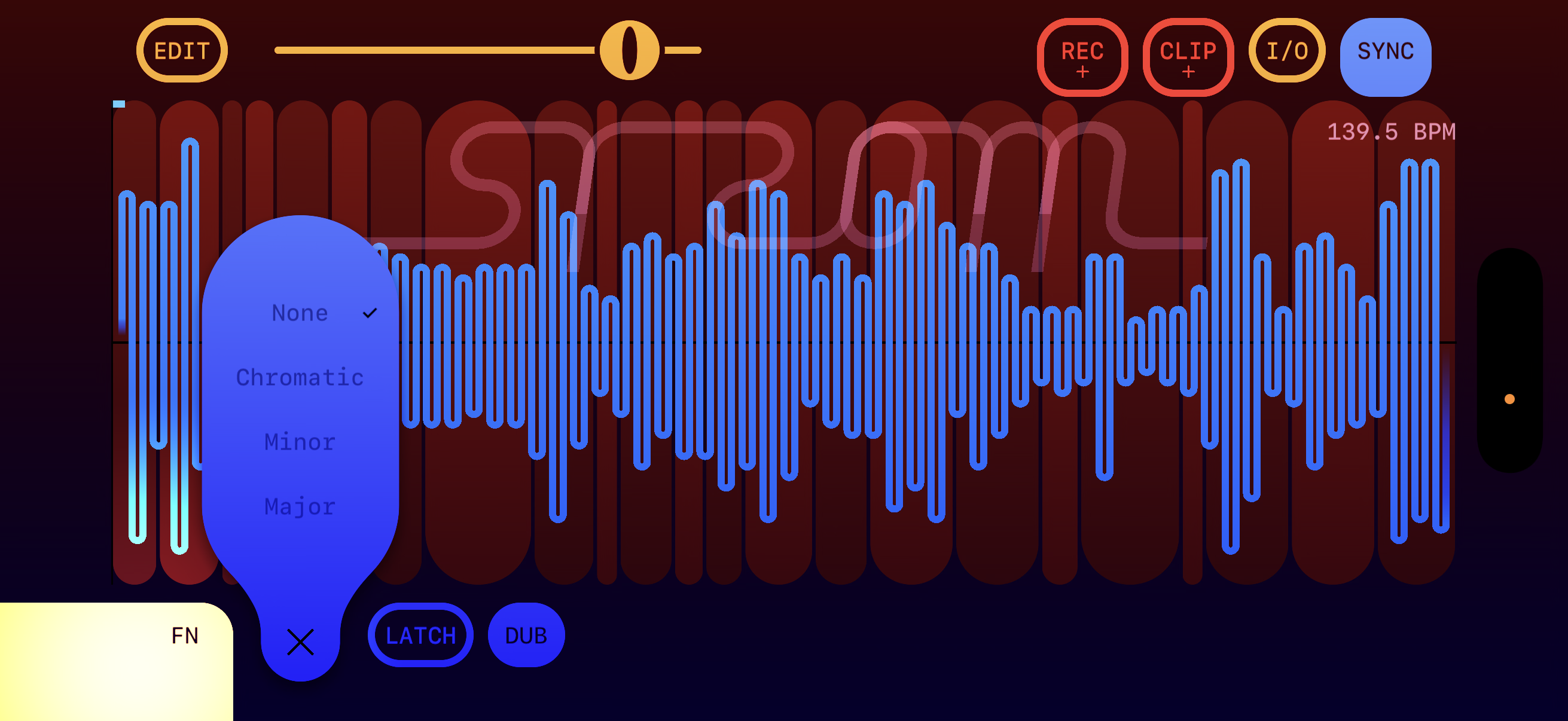
Snaps PITCH-mode bend to a scale. None = continuous bend. Chromatic = semitones. Minor / Major = diatonic.
This is a beta
Expect rough edges. Known things on the list right now: tempo automation through a held voice can still click; FLEX boundaries don't always re-align after a tempo change; some menu sticky-tap states can be confusing on first encounter.
Please send repro videos and screenshots when something behaves unexpectedly — even "this felt off but I can't say why" is useful feedback at this stage.